In today’s digital age, high-quality images are essential across various applications, from photography to medicine. However, often we encounter images with insufficient resolution. This guide dives deep into the world of AI-powered image upscaling, offering a comprehensive understanding of the techniques, models, and practical considerations for achieving superior image quality from low-resolution inputs.
The journey begins with a fundamental understanding of image upscaling, its methods, and the limitations of traditional approaches. We’ll explore the transformative power of AI models, comparing different architectures and evaluating their performance, complexity, and computational requirements. Furthermore, we will analyze how image characteristics and various upscaling techniques impact the final output, providing valuable insights for practical implementation.
Introduction to Image Upscaling
Image upscaling is the process of increasing the resolution of an image, effectively enlarging it while maintaining or improving its visual quality. This technique is crucial in numerous applications, from enhancing low-resolution photographs to improving the clarity of medical images and generating high-quality video frames. Its importance stems from the growing demand for high-resolution visuals across diverse fields.The demand for high-resolution images is driven by various factors, including the need for greater detail in photography, video, and medical imaging.
This increased resolution often leads to improved accuracy, better understanding of complex structures, and enhanced visual appeal. Consequently, image upscaling has become a valuable tool in various applications, allowing users to obtain higher-quality outputs from lower-resolution sources.
Traditional Image Upscaling Methods
Traditional image upscaling methods rely on interpolation techniques to estimate pixel values in the enlarged image. These methods, while effective for basic upscaling, often suffer from limitations. Artifacts, such as blurring, ringing, and stair-casing, are common, especially when dealing with significant resolution increases. These artifacts degrade the image’s visual quality, impacting the perceived clarity and detail.
AI-Powered Image Upscaling Techniques
AI-powered image upscaling techniques utilize deep learning models to generate more realistic and detailed enlarged images. These models are trained on vast datasets of high-resolution images, enabling them to learn complex relationships between pixels and reconstruct higher-resolution versions of low-resolution inputs. The result is often a significant improvement in image quality compared to traditional methods, reducing artifacts and producing more visually appealing results.
Comparison of Image Upscaling Methods
| Method | Strengths | Weaknesses |
|---|---|---|
| Nearest Neighbor | Simplest and fastest method. | Produces highly noticeable blocky artifacts and a loss of detail. |
| Bilinear | Produces smoother results compared to nearest neighbor. | Still exhibits blurring and a loss of fine details, especially at higher magnification. |
| Bicubic | Offers better detail preservation and reduces blurring compared to bilinear. | Computationally more expensive than nearest neighbor and bilinear. |
| AI-powered (e.g., using Generative Adversarial Networks (GANs)) | Produces high-quality upscaled images with fewer artifacts, particularly in complex image structures. Can handle significant resolution increases effectively. | Requires significant computational resources for training and inference. Performance depends heavily on the quality and size of the training dataset. |
Traditional methods are suitable for basic upscaling tasks but fall short when dealing with complex details and high resolution increases. AI-powered methods, on the other hand, offer a superior alternative, generating high-quality results that closely resemble the original image. The trade-off is the computational demand, which can be significant for large images or high magnification.
AI Models for Upscaling
Various artificial intelligence (AI) models have emerged as powerful tools for enhancing the resolution of low-resolution images. These models, leveraging deep learning techniques, have significantly improved image quality by intelligently interpolating missing details and reconstructing higher-resolution versions. This advancement is particularly crucial in fields like medical imaging, satellite imagery analysis, and image editing, where high-resolution images are essential for accurate diagnosis, detailed analysis, and enhanced visual presentation.Deep learning plays a pivotal role in image upscaling by enabling AI models to learn complex patterns and relationships within image data.
By training on vast datasets of high-resolution images, these models develop intricate representations that allow them to predict and generate missing high-resolution details. This process effectively reconstructs the finer textures and details, producing significantly improved upscaled images.
Super-Resolution Convolutional Neural Networks (SRCNNs)
SRCNNs represent a foundational architecture in image upscaling. They employ a series of convolutional layers to learn intricate image features and map them to higher resolutions. This hierarchical feature learning process allows the network to extract crucial details and reconstruct the missing high-resolution information. The effectiveness of SRCNNs stems from their ability to capture the intricate relationship between low-resolution and high-resolution image structures.
Other State-of-the-Art Architectures
Beyond SRCNNs, several advanced architectures have been developed to further enhance image upscaling capabilities. These architectures, such as FSRCNN (Fast Super-Resolution Convolutional Neural Network) and EDSR (Enhanced Deep Super-Resolution), introduce innovations like residual learning and efficient architectures. These innovations address limitations of previous models, often leading to significant improvements in performance and efficiency.
Comparative Analysis of Models
Different models exhibit varying levels of performance, complexity, and computational demands. For example, SRCNNs are relatively simpler in structure and computationally less demanding, while more advanced models like EDSR often achieve superior upscaling quality at the cost of increased complexity and computational requirements. The choice of model often depends on the specific application’s needs, balancing the need for high-quality results against the computational resources available.
Factors like real-time processing requirements, desired image quality, and the size of the training dataset play a critical role in selecting the most appropriate AI model.
Deep Learning’s Role in Enhancing Image Quality
Deep learning’s contribution to image upscaling extends beyond just improving the image’s visual fidelity. By learning intricate patterns and relationships within the data, deep learning models can capture the essence of the original image’s content and faithfully reproduce it at higher resolutions. This ability to understand and replicate the nuances of the image is crucial for applications that require accurate representation, such as medical imaging, where precise details are critical for diagnosis.
Furthermore, deep learning’s adaptability to various datasets allows for the development of models tailored to specific needs and image types.
Table of AI Model Architectures and Strengths
| Model | Architecture | Strengths |
|---|---|---|
| SRCNN | Hierarchical convolutional layers | Relatively simple, computationally efficient |
| FSRCNN | Fast convolutional layers with skip connections | Faster processing compared to SRCNN, good balance between speed and quality |
| EDSR | Deep residual network with efficient structure | High image quality, effective in capturing fine details, often outperforms other models |
Input Image Characteristics and Upscaling Quality
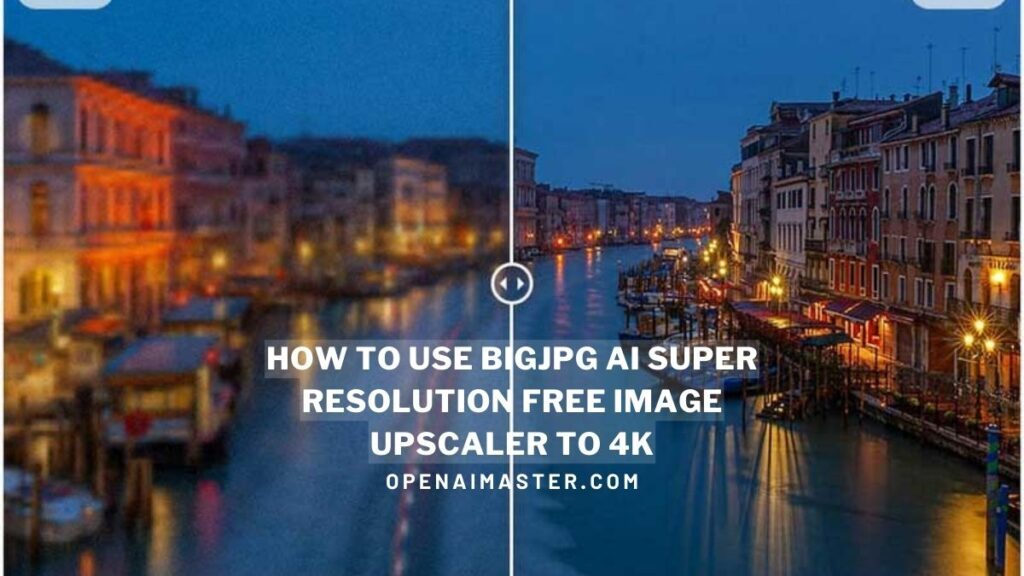
The quality of an upscaled image is significantly influenced by the characteristics of the original low-resolution image. Factors such as the image’s content, resolution, and inherent noise directly impact the effectiveness of any AI upscaling model. Understanding these relationships allows users to make informed choices about the best techniques for different types of images.Different AI models exhibit varying degrees of success depending on the type of image being upscaled.
Some models excel at handling specific image content, while others may struggle with complex details or high levels of noise. This variability underscores the importance of selecting appropriate models based on the characteristics of the input image.
Impact of Image Content
The complexity and detail within the input image directly influence the upscaling outcome. Images with intricate patterns, fine textures, or numerous details are often more challenging to upscale than simpler images. For instance, a portrait with complex facial features and hair patterns might require a more sophisticated model than a landscape with a single, large object.
Influence of Image Resolution
Lower resolution images inherently contain less information. This limited data can constrain the detail that can be recovered during upscaling. Consequently, models might struggle to generate sharp details and fine structures. The amount of detail lost due to low resolution directly correlates with the challenges faced by upscaling algorithms.
Effect of Noise on Upscaling
Noise in the input image, whether from the acquisition process or other sources, can degrade the upscaled image. Noisy images frequently manifest as artifacts, blurring, or uneven textures in the upscaled output. The extent of noise in the original image directly correlates with the difficulty in preserving image quality during upscaling.
Impact of Image Type on Model Effectiveness
Different types of images require different approaches to upscaling. This consideration stems from the diverse characteristics of various image types. For example, medical images, often exhibiting sharp contrasts and intricate structures, demand specific models tailored for high fidelity and precision. Conversely, artistic images or photographs with subtle color gradations might benefit from models that prioritize aesthetic preservation.
Trade-offs Between Speed and Quality
AI models for image upscaling often come with trade-offs between processing speed and image quality. Models that prioritize speed might produce upscaled images with lower detail or more noticeable artifacts, while models focused on high quality may take longer to process. This relationship underscores the importance of balancing speed and detail when selecting an upscaling method.
Suitability of Upscaling Techniques for Different Image Types
| Image Type | Suitable Upscaling Technique | Rationale |
|---|---|---|
| Portraits | Models focused on facial detail and fine hair | High-fidelity preservation of facial structures and hair details is crucial. |
| Landscapes | Models emphasizing natural detail and color gradients | Accurate representation of natural textures and color transitions is important. |
| Medical Images | Models designed for high fidelity and accuracy | Precise detail and accurate representation of anatomical structures are critical. |
| Artistic Images | Models emphasizing style preservation | Maintaining the aesthetic and artistic qualities of the original image is paramount. |
Practical Implementation and Considerations
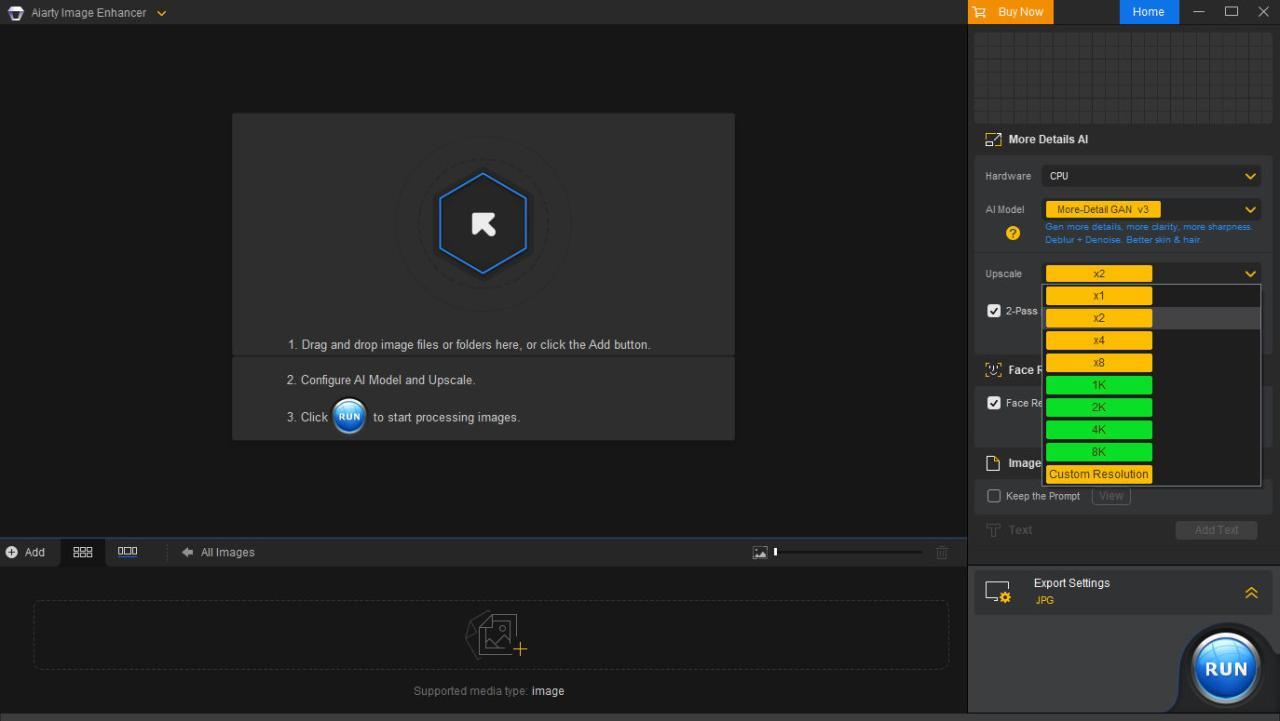
Implementing AI-powered image upscaling involves leveraging readily available tools and libraries. This section provides practical guidance on using these tools, optimizing input images, and understanding the impact of image size and resolution on the quality of upscaled outputs. Proper implementation is crucial for achieving satisfactory results.
Implementing Image Upscaling with Libraries
Various libraries, such as TensorFlow and PyTorch, offer functionalities for image upscaling. These libraries provide pre-trained models or allow users to train custom models. For example, TensorFlow’s Keras API provides a user-friendly interface for building and training deep learning models, while PyTorch offers extensive flexibility for model customization. The choice of library depends on the specific needs and expertise of the user.
Preparing Input Images for Upscaling
Optimizing input images significantly impacts the quality of upscaling. Proper pre-processing steps ensure the best results. Crucially, ensure images are in a compatible format (e.g., JPEG, PNG) and have appropriate pixel depths. Also, consider noise reduction techniques to minimize artifacts in the upscaled output. Adjusting the contrast and brightness of the input image can enhance the clarity and details in the upscaled image.
Impact of Image Size on Upscaling Performance
The size of the input image significantly influences the performance of upscaling techniques. Larger images generally require more computational resources and potentially longer processing times. Smaller images may be processed faster but may lead to lower quality upscaling. The choice of upscaling algorithm also plays a crucial role, as some algorithms are better suited for handling large images than others.
Output Resolutions and Effects
Upscaling can produce different output resolutions, each with its own implications. Higher resolutions yield greater detail and clarity, but often require more computational resources and processing time. Lower resolutions may be suitable for applications where speed is paramount or when storage space is limited. The appropriate resolution depends on the intended use case and the desired balance between quality and efficiency.
Comparison of Upscaling Tools
| Tool | Features | Strengths | Weaknesses |
|---|---|---|---|
| TensorFlow | Pre-trained models, Keras API, extensive community support | Ease of use, wide range of models | Steeper learning curve for custom models |
| PyTorch | Flexible model customization, strong research community | High level of control over models | More complex setup |
| Real-ESRGAN | High-quality upscaling, specifically for images | Excellent performance, fast processing times | May not be suitable for all image types |
| Super-Resolution Generative Adversarial Networks (SRGANs) | Advanced GAN-based architectures | Potentially high-quality upscaling | Requires significant computational resources |
Common Upscaling Techniques
Image upscaling, the process of increasing the resolution of an image, is a crucial task in computer vision and image processing. Various techniques exist, each with its own strengths and weaknesses. Understanding these methods is essential for selecting the appropriate approach for a given application and expected outcome. AI-powered methods, particularly deep learning algorithms, have revolutionized image upscaling, often achieving superior results compared to traditional methods.
Traditional Upsampling Methods
Traditional methods for increasing image resolution, often referred to as upsampling, rely on interpolation techniques. These methods use existing pixel data to estimate values for new pixels, essentially filling in the gaps. Understanding their limitations is key to appreciating the advancements brought by AI-based techniques.
- Nearest Neighbor: This method assigns the value of the nearest existing pixel to the new pixel. It is simple but often results in a blocky or pixelated appearance, especially with significant upscaling factors. Its speed is a notable advantage, making it suitable for applications where computational resources are limited.
- Bilinear Interpolation: This method considers the values of the four surrounding pixels to calculate the new pixel value. It produces smoother results than the nearest neighbor method but can still exhibit artifacts, particularly along edges and sharp transitions.
- Bicubic Interpolation: This technique leverages the values of the sixteen surrounding pixels to compute the new pixel value. It provides a more sophisticated approach, producing smoother and less pixelated results than bilinear interpolation, but at a higher computational cost. The increased smoothness often comes at the expense of blurring sharp edges, sometimes leading to a loss of detail.
Relationship to AI Upscaling
Traditional upsampling methods are foundational, providing a baseline for comparison with AI-based techniques. While they can be efficient for simple upscaling needs, AI methods often outperform them in terms of detail preservation, sharpness, and reduced artifacts. AI models learn complex relationships within the data to generate more realistic and high-quality upscaled images.
Generative Adversarial Networks (GANs) in Upscaling
GANs, a powerful class of deep learning models, are increasingly used for image upscaling. They consist of two neural networks: a generator and a discriminator. The generator learns to map low-resolution images to high-resolution versions, while the discriminator learns to distinguish between real high-resolution images and those generated by the generator.
- Generator Network: This network takes the low-resolution image as input and outputs a high-resolution image. It learns complex mappings and patterns from the training data, enabling it to produce realistic details.
- Discriminator Network: This network acts as a judge, assessing the quality of the images generated by the generator. By comparing the generated images to real high-resolution images, it provides feedback to the generator, enabling it to refine its output and produce increasingly realistic results.
- Training Process: The generator and discriminator networks are trained iteratively. The generator tries to produce images that fool the discriminator, while the discriminator becomes better at distinguishing between real and fake images. This adversarial process drives the generator to improve its ability to produce high-quality upscaled images.
Impact of Image Data on Upscaling Algorithms
The quality of the upscaled image is significantly influenced by the characteristics of the input image. Images with complex textures, fine details, and sharp edges present greater challenges for upscaling algorithms. The image data’s resolution, noise levels, and inherent characteristics will all influence the accuracy and quality of the upscaled output. Notably, the amount of training data significantly impacts the model’s ability to learn the relationships between different image features.
Therefore, a well-trained model with access to a wide variety of high-quality images will generally produce more realistic and accurate results.
Evaluating Upscaled Images
Assessing the quality of upscaled images is crucial for determining the effectiveness of different AI models and techniques. Accurate evaluation allows us to compare various approaches and identify the best-performing methods. This section details several metrics used for evaluating upscaled images, including their interpretation and potential limitations.
Image Quality Metrics
Several metrics are employed to quantify the quality of upscaled images, offering a numerical representation of the improvement or degradation introduced by the upscaling process. These metrics provide a standardized way to compare different methods and models.
- Peak Signal-to-Noise Ratio (PSNR): This metric measures the ratio between the maximum possible power of a signal and the power of corrupting noise. Higher PSNR values indicate a lower level of noise and a better preservation of image details. It’s a widely used measure for evaluating image quality, particularly in lossy compression and image processing. PSNR is often used as a benchmark in comparing upscaling methods, as a higher PSNR generally correlates with a better-preserved image.
However, it may not fully capture perceptual quality.
- Structural Similarity Index (SSIM): Unlike PSNR, which focuses on the overall signal-to-noise ratio, SSIM considers the structural similarity between the original and upscaled images. It takes into account luminance, contrast, and structure, providing a more perceptually relevant evaluation. Higher SSIM values suggest a higher structural similarity and better visual fidelity. For example, a low SSIM value might indicate that the upscaled image lacks the same textures and patterns as the original.
SSIM is often preferred over PSNR for assessing the quality of upscaled images because it considers perceptual aspects more accurately.
- Multi-Scale Structural Similarity Index (MS-SSIM): This metric extends the SSIM concept by considering image structures at multiple scales. This approach often provides a more comprehensive evaluation than a single-scale SSIM, reflecting how well the upscaled image retains details across various resolutions. It can capture nuances of structural similarity that are not always fully captured by SSIM alone. For example, MS-SSIM can be useful for determining whether an upscaled image maintains the fine details of the original.
Interpretation of Metrics
Interpreting the values of these metrics is essential for determining the effectiveness of different upscaling methods. Higher PSNR, SSIM, and MS-SSIM values generally indicate better image quality. For instance, a PSNR value of 35dB might represent acceptable quality, while a value of 45dB suggests a much clearer and more detailed upscaled image. Comparing the metrics across different upscaling methods allows for a more objective assessment of performance.
Factors Affecting Metric Reliability
Several factors can affect the reliability of these evaluation metrics. The choice of metric can influence the outcome, as different metrics prioritize different aspects of image quality. Furthermore, the nature of the original image itself can affect the metric values. For instance, highly detailed or complex images might exhibit lower PSNR values compared to simpler images, even if the upscaling is accurate.
The quality of the ground truth image (the original image) also plays a role. If the ground truth image has imperfections, these imperfections may be amplified or minimized during upscaling, influencing the metric results.
Image Quality Metrics Table
| Metric | Formula (Simplified) | Interpretation |
|---|---|---|
| PSNR |
|
Higher values indicate lower noise and better detail preservation. |
| SSIM |
|
Higher values indicate higher structural similarity between original and upscaled images. |
| MS-SSIM | Weighted average of SSIM at multiple scales | More comprehensive evaluation of structural similarity at different resolutions. |
Applications and Use Cases

Image upscaling, powered by AI, is transforming various fields by enhancing the visual quality and detail of low-resolution images. This technology offers a valuable tool for improving the usability and interpretability of data across diverse applications, from improving photographic prints to aiding medical diagnoses. Understanding the potential benefits and limitations of AI upscaling in specific contexts is crucial for maximizing its effectiveness and mitigating potential drawbacks.
Photography
AI-powered image upscaling significantly enhances the quality of photographs, particularly those captured with limited resolution or under challenging lighting conditions. For instance, upscaling can effectively restore detail lost in low-light shots or increase the resolution of a photo to match a larger print size. This capability is particularly beneficial for photographers seeking to maximize the impact of their work or enhance the clarity of historical or archival images.
While upscaling can produce impressive results, it’s essential to recognize that it may introduce artifacts or distortions, potentially impacting the aesthetic appeal of the original image.
Medicine
Medical imaging, such as X-rays and CT scans, often involves capturing images with limited resolution. AI upscaling techniques can improve the clarity and detail of these images, allowing for more precise diagnoses and potentially reducing the need for additional imaging procedures. This can be particularly beneficial in remote areas with limited access to advanced imaging equipment. However, it is important to acknowledge that while upscaling can improve the visibility of subtle details, it may not always replace the need for human interpretation and expertise.
The accuracy and reliability of upscaled medical images must be carefully validated to ensure safe and effective clinical use. Upscaled images may reveal subtle details, which can assist in earlier disease detection or assist in surgical planning.
Security
In the realm of security, image upscaling can play a crucial role in improving the quality of surveillance footage. For instance, low-resolution security camera images can be upscaled to enhance the clarity of faces and objects, facilitating the identification of individuals or suspicious activities. This can be instrumental in investigations and crime prevention. However, upscaling security footage presents challenges, such as potential distortion of the image, which could lead to inaccurate identification or misinterpretation.
Moreover, the ethical considerations of using AI to enhance surveillance images need careful consideration.
Other Applications
AI image upscaling can also be applied to various other fields, such as:
- Archaeology: Upscaling images of ancient artifacts or historical documents can provide valuable insights into the past, potentially revealing previously unseen details.
- Remote Sensing: Enhancing satellite imagery can improve the analysis of land use, environmental changes, and other geographical features.
- Art Restoration: Upscaling damaged or faded artworks can restore valuable details and preserve cultural heritage.
The potential benefits of upscaling in these contexts are significant, enabling researchers and professionals to gain a deeper understanding of their subjects. However, the limitations of upscaling, such as the introduction of artifacts or the potential loss of original information, should always be carefully considered.
Evaluation of Upscaling Techniques
Assessing the quality of upscaled images is crucial to ensure their suitability for specific applications. Different evaluation metrics, such as peak signal-to-noise ratio (PSNR) and structural similarity index (SSIM), can be employed to quantify the improvements in resolution and visual quality. However, subjective assessments by human experts also play a critical role in evaluating the overall quality and aesthetic appeal of the upscaled images.
Closing Notes

This comprehensive guide has provided a thorough exploration of AI-powered image upscaling, from foundational concepts to practical implementation. We’ve examined diverse AI models, explored the impact of image characteristics on upscaling quality, and discussed practical considerations for achieving optimal results. By understanding the strengths and weaknesses of different techniques, users can confidently choose the most suitable approach for their specific needs and applications, ultimately achieving superior image quality from low-resolution inputs.