Unlocking the creative potential of artificial intelligence, this guide provides a comprehensive exploration of generating unique textures and patterns. From foundational techniques to advanced AI model utilization, we delve into the world of procedural generation, noise functions, and specific AI models like GANs and diffusion models. Discover how to manipulate parameters and control aesthetics for stunning visual results.
This guide will walk you through the steps to create diverse textures, from simple to complex, using various AI tools and techniques. It covers the entire process, from initial data input to the final aesthetic control, allowing you to generate truly unique patterns and textures.
Introduction to AI Texture and Pattern Generation

Artificial intelligence (AI) is rapidly transforming various creative fields, including design and art. One particularly exciting application is the generation of unique textures and patterns. AI algorithms can now produce a vast array of visual elements, from intricate natural patterns to abstract designs, opening new avenues for artistic expression and industrial applications.AI systems achieve this by learning from existing datasets of textures and patterns.
Through sophisticated machine learning techniques, these algorithms identify underlying structures and relationships within the data. This learned knowledge enables them to generate novel outputs, effectively mimicking and extending the characteristics of the training data. This process is often facilitated by generative models, which learn the probability distribution of the input data and can then produce new samples that conform to that distribution.
AI Models for Texture and Pattern Generation
Various AI models excel at creating textures and patterns. Understanding these models and their strengths is key to harnessing their full potential. Generative Adversarial Networks (GANs) and diffusion models are prominent examples.
Generative Adversarial Networks (GANs)
GANs consist of two neural networks competing against each other. One network, the generator, creates new data samples, while the other, the discriminator, evaluates the authenticity of these samples. This adversarial process forces the generator to produce increasingly realistic and varied outputs, mimicking the input data. The discriminator’s role is crucial in refining the generator’s performance, resulting in a more sophisticated output.
Diffusion Models
Diffusion models operate by progressively adding noise to an image or data sample until it becomes a random noise. Then, the model learns to reverse this process, gradually removing the noise to reconstruct the original data or generate new data samples. This approach, often simpler than GANs, is becoming increasingly popular due to its efficiency and ability to produce high-quality outputs.
A significant advantage is the ability to generate more intricate and detailed textures.
History of AI in Texture and Pattern Generation
The development of AI in texture and pattern generation has followed a gradual evolution. Early attempts focused on simple pattern recognition and reproduction. However, with advancements in machine learning and computational power, the ability to generate entirely new and complex textures has emerged. The recent rise of deep learning, particularly GANs and diffusion models, has revolutionized this field, enabling the creation of extremely intricate and realistic patterns.
Comparison of AI Models
| Model | Strengths | Weaknesses |
|---|---|---|
| GANs | Can generate highly realistic textures and patterns, capable of producing complex and diverse outputs. | Training GANs can be computationally intensive and unstable, leading to difficulties in convergence and potential mode collapse (where the generator produces similar output). |
| Diffusion Models | Often more stable and efficient during training than GANs. Can produce high-quality outputs with relatively fewer computational resources. | May not be as effective in generating highly complex textures or patterns as GANs, and may sometimes have issues with details or subtle nuances in patterns. |
Fundamental Techniques for Creating Unique Textures

Procedural texture generation, a cornerstone of AI-driven artistry, empowers the creation of intricate and varied textures without relying on predefined images. This approach leverages mathematical algorithms and repeatable processes to generate textures, opening up vast possibilities for creative exploration and design. This method is especially valuable in applications like game development, 3D modeling, and visual effects, where vast quantities of unique textures are often required.This section delves into the core techniques employed in procedural texture generation, focusing on mathematical functions and noise algorithms.
Understanding these techniques allows for the creation of unique and realistic textures through programmable means.
Procedural Generation in AI Textures
Procedural generation in AI textures is the process of creating textures through the application of mathematical formulas and algorithms, rather than relying on pre-existing image data. This approach offers unparalleled flexibility, allowing for the generation of virtually limitless variations of textures. The beauty of procedural generation lies in its capacity to create complex patterns and structures from simple rules.
Mathematical Functions for Diverse Textures
Mathematical functions form the foundation of procedural texture generation. These functions dictate the characteristics of the generated textures, influencing their patterns, colors, and overall aesthetic. By combining different mathematical functions, a wide array of textures can be created. For instance, a sine wave function can generate smooth, undulating patterns, while a combination of sine and cosine waves can produce more complex, interwoven structures.
Trigonometric functions are particularly useful for generating periodic patterns, and polynomials can create a variety of shapes and forms. Furthermore, using parametric equations can introduce additional complexity and dynamism.
The Role of Noise Functions in Realistic Textures
Noise functions play a crucial role in creating realistic textures. They introduce randomness and irregularity into the texture generation process, preventing the appearance of artificial or repetitive patterns. Noise functions essentially generate random values across a given space, creating a stochastic effect. This stochastic nature is essential for creating textures that appear natural and realistic.
Types of Noise Functions
Various types of noise functions are employed in procedural texture generation. These functions vary in their complexity and the patterns they produce. Two common examples are Perlin noise and Simplex noise.
- Perlin Noise: This noise function produces smooth, continuous gradients that are widely used to simulate natural phenomena, such as clouds, rocks, and water. Perlin noise is well-known for its smooth transitions and its ability to generate organic-looking textures.
- Simplex Noise: This noise function offers improvements over Perlin noise in terms of computational efficiency and visual quality. Simplex noise reduces artifacts and provides smoother transitions between values. This advantage translates into better performance, particularly in applications with high computational demands.
Steps in Creating a Unique Texture Using Procedural Methods
This table Artikels the general steps involved in creating a unique texture using procedural methods:
| Step | Description |
|---|---|
| 1. Define the Texture Space | Specify the dimensions and resolution of the texture. |
| 2. Choose Noise Functions | Select the appropriate noise functions to introduce variation and randomness. |
| 3. Apply Mathematical Functions | Use mathematical functions to manipulate the noise values, creating desired patterns and shapes. |
| 4. Map Values to Colors | Assign colors to the generated values, creating the visual texture. |
| 5. Refine and Iterate | Adjust parameters and functions to achieve the desired texture characteristics. |
Utilizing AI Models for Texture Design
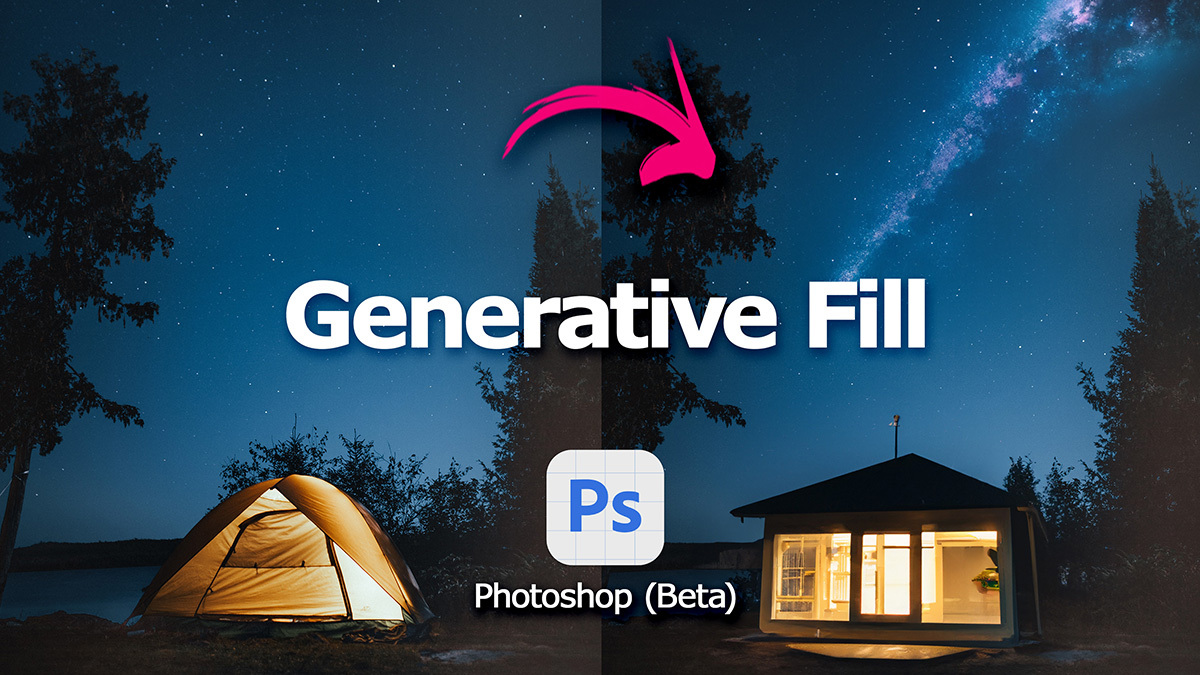
Harnessing the power of Artificial Intelligence (AI) models has revolutionized texture and pattern generation, offering unprecedented creative control and efficiency. AI algorithms can learn complex patterns and relationships from existing data, enabling the generation of novel textures with intricate details. This capability empowers designers and artists to explore a vast design space, leading to innovative and unique visual outputs.AI models excel at identifying subtle patterns and nuances in input data, enabling them to generate textures that are not only visually appealing but also highly specialized.
This capability is particularly useful for applications ranging from fashion design and textile manufacturing to architectural visualization and product design.
Input Data for Texture Generation
Providing appropriate input data is crucial for effective AI texture generation. The model learns the characteristics of the input and then applies that understanding to create new textures. Different types of input data can yield varied results.
- Image datasets: Providing a collection of images containing textures of interest is a common method. The model analyzes the patterns, colors, and details within these images to learn the underlying structure of the textures. For instance, a dataset of wood grain images would allow the model to generate diverse wood textures with different grain directions and intensities.
- Vector graphics: Vector data, representing shapes and patterns in mathematical form, can be utilized as input to train AI models. This approach allows for more control over the geometric elements within the texture. An example could be a set of vector representations of floral patterns, allowing the AI to generate various floral textures with different degrees of complexity.
- Mathematical representations: Employing mathematical formulas to define textures, such as fractal equations or procedural generation techniques, provides precise control over the underlying structure of the texture. This method is particularly useful for creating highly controlled and repeatable patterns. For example, using a fractal equation to generate a cloud-like texture allows precise manipulation of its density and complexity.
Parameters and Settings for Controlling Output
AI models often feature a variety of parameters and settings that allow users to fine-tune the generated textures. These parameters influence the details and characteristics of the output.
- Resolution: The resolution of the generated texture can significantly affect its visual quality. Higher resolutions typically lead to more intricate and detailed textures, while lower resolutions might produce simpler, more abstract textures.
- Noise levels: The level of noise in the model’s output can control the randomness and irregularity of the texture. High noise levels can result in more unpredictable and organic textures, while low noise levels produce more consistent and structured textures.
- Color palettes: Specifying color palettes for the texture can significantly impact its visual appeal. Defining specific color ranges or gradients can lead to textures that are visually harmonious or contrasting.
- Stylization parameters: Some models offer parameters for adjusting the style of the generated texture. These parameters might include options for increasing or decreasing the sharpness, smoothness, or roughness of the texture.
Challenges in AI Model Training
Training AI models for texture generation presents several challenges.
- Computational resources: Training complex AI models requires significant computational power, which can be expensive and time-consuming. Large datasets and sophisticated algorithms often need substantial processing power to learn effectively.
- Data quality: The quality and diversity of the input data greatly impact the performance of the model. Inconsistent or low-quality images may hinder the model’s ability to accurately learn and generate realistic textures.
- Model complexity: Designing models that can learn and generate complex textures requires significant effort in terms of algorithm development and optimization.
Optimizing AI Model Training
Several methods can optimize the training process for better results.
- Data augmentation: Expanding the training dataset through augmentation techniques, such as resizing, rotating, or adding noise to images, can improve the model’s ability to learn diverse patterns and structures.
- Regularization techniques: Employing regularization techniques, such as dropout or weight decay, can prevent overfitting and ensure that the model generalizes well to unseen data.
- Model architecture selection: Choosing appropriate architectures for the task can significantly influence the model’s performance. Models designed for image generation, such as Generative Adversarial Networks (GANs), often prove effective in creating realistic textures.
AI Model Inputs and Outputs
| AI Model Input | Corresponding Output |
|---|---|
| Images of various wood grain textures | Novel wood grain textures with diverse grain directions and intensities |
| Vector graphics of floral patterns | Generated floral textures with different degrees of complexity and styles |
| Mathematical formulas defining fractal patterns | Cloud-like textures with precise control over density and complexity |
Generating Unique Patterns with AI
AI excels at creating intricate and diverse patterns, moving beyond simple geometric shapes to embrace organic and abstract forms. This capability stems from its ability to learn complex relationships within data, allowing it to generate novel patterns not directly programmed by humans. This opens doors to innovative designs in various fields, from fashion and architecture to textile and graphic arts.
Different Types of Patterns
AI can generate a wide array of patterns, exceeding the limitations of traditional design methods. These patterns can be broadly categorized into geometric, organic, and abstract styles. Geometric patterns rely on mathematical principles and symmetries, offering clean and structured designs. Organic patterns mimic natural forms, featuring flowing lines and irregular shapes, often evoking a sense of dynamism and complexity.
Abstract patterns push the boundaries of conventional aesthetics, showcasing a blend of unexpected forms and colors, leading to unconventional and imaginative designs.
Feeding Data to Generate Specific Patterns
To guide AI towards generating specific patterns, a crucial step involves providing suitable input data. This data can be in the form of existing patterns, sketches, or even descriptions. For instance, providing examples of organic patterns would train the AI to understand the characteristics of these patterns. Similarly, specifying the desired symmetry or complexity level further refines the output.
By feeding examples of the desired aesthetic, the AI model learns to associate these examples with the corresponding pattern characteristics.
Controlling Complexity and Symmetry
Controlling the complexity and symmetry of generated patterns is vital for achieving the desired design outcome. The complexity can be adjusted by varying the number of elements and their interactions within the pattern. For example, a simple geometric pattern might feature repeating shapes, whereas a complex pattern might involve intricate interwoven elements. Symmetry can be controlled by specifying the degree of symmetry desired.
This could range from perfect symmetry, such as in a repeating pattern of hexagons, to asymmetrical patterns, where elements are not mirrored or rotated. Furthermore, the specific parameters of the AI model often allow for fine-tuning the level of detail and symmetry.
Generating Repeating Patterns
Generating repeating patterns using AI involves feeding a dataset of similar patterns to the AI model. The model learns the underlying rules and structures of the input patterns. Subsequently, it can create new, similar repeating patterns. This process is iterative, allowing the AI to refine its understanding of the pattern structure and generate more sophisticated and unique outputs.
The initial input dataset dictates the characteristics of the output pattern.
Examples of Pattern Types and Inputs
| Pattern Type | AI Input Example |
|---|---|
| Geometric | Images of repeating grids, tessellations, or fractal patterns; mathematical formulas describing geometric shapes. |
| Organic | Images of natural forms like leaves, flowers, or clouds; descriptions of flowing lines and curves. |
| Abstract | Images of non-representational art; descriptions of colors, shapes, and textures that evoke an abstract feeling. |
Combining Textures and Patterns
Enhancing design complexity often involves the strategic combination of textures and patterns. This approach allows designers to create visually rich and layered compositions that go beyond simple visual elements. By thoughtfully integrating textures and patterns, designers can add depth, intrigue, and visual interest to their work.Combining textures and patterns effectively requires careful consideration of their interactions. The interplay between these elements can either amplify or detract from the overall aesthetic.
A successful combination harmonizes the chosen elements, creating a unified and compelling design.
Strategies for Combining Textures and Patterns
Effective combinations often involve contrasting or complementary elements. A rough texture paired with a smooth pattern can create a striking visual contrast. Conversely, a similar color palette in both textures and patterns can result in a harmonious and cohesive design. The choice depends on the desired aesthetic and the specific application of the design.
Blending Different Textures and Patterns
Blending different textures and patterns can be achieved through various techniques, including overlaying, masking, and gradient blending. Overlaying textures and patterns allows for a juxtaposition of visual elements, while masking enables the selective display of one element over another. Gradient blending seamlessly transitions between different textures and patterns, often producing visually interesting transitions.
Layering Textures and Patterns for Visual Interest
Layering textures and patterns adds depth and visual interest to a design. The layering process involves strategically positioning textures and patterns atop one another, controlling their opacity and blending modes to create a layered effect. This layering approach can effectively convey different levels of information and create a sense of depth.
Controlling Opacity and Blending Modes
Opacity and blending modes play a critical role in controlling the interaction between textures and patterns. Opacity determines the transparency of a layer, allowing certain elements to be partially or fully visible. Blending modes, such as Multiply, Screen, Overlay, and Soft Light, significantly influence how textures and patterns interact. Different blending modes affect the colors and tones of overlapping layers in unique ways.
Careful manipulation of these settings can create diverse visual effects.
Blending Modes Table
| Blending Mode | Description | Visual Effect on Combination |
|---|---|---|
| Normal | Default blending mode; layers are added together without any modifications. | Layers are simply overlaid; no significant change in appearance. |
| Multiply | Darkens the top layer based on the color of the bottom layer. | Creates a darker, more muted effect when combining layers. |
| Screen | Lightens the top layer based on the color of the bottom layer. | Creates a brighter, more vibrant effect when combining layers. |
| Overlay | Combines the effects of Multiply and Screen, darkening or lightening based on the color values. | Creates a more dynamic effect, with darker tones darkening further and lighter tones lightening further. |
| Soft Light | A more subtle version of Overlay, adjusting the tone of the top layer based on the bottom layer. | Creates a softer transition between layers, without the harsh contrast of some other modes. |
Controlling the Aesthetics of Generated Output

AI-powered texture and pattern generation offers remarkable flexibility in controlling the final aesthetic. This capability allows designers to fine-tune the visual characteristics of their creations, resulting in highly tailored outputs. Understanding the parameters available for adjustment is key to achieving desired visual effects.Adjusting parameters is crucial for achieving the desired aesthetic. AI models often accept a range of input parameters that directly influence the generated textures and patterns.
By manipulating these settings, designers can significantly impact the visual outcome, moving beyond generic outputs and producing unique and compelling results. The specific parameters and their effects vary depending on the AI model used.
Color Palette Control
A thoughtfully chosen color palette can significantly enhance the visual appeal of generated textures and patterns. The model’s ability to interpret and apply color palettes influences the final outcome. Color palettes can range from monochromatic schemes to vibrant, multi-hue combinations, and the model’s interpretation of these palettes is crucial. Using pre-defined palettes or specifying a range of colors can lead to aesthetically pleasing results.
For example, a designer might select a palette of cool blues and greens for a serene landscape texture, or a palette of warm oranges and reds for a fiery abstract pattern.
Scale and Resolution Impact
The scale and resolution of the generated textures and patterns significantly impact their visual appeal and usability. Larger scales and higher resolutions result in greater detail and clarity, which can be ideal for intricate designs or high-resolution printing applications. Conversely, smaller scales and lower resolutions can be more suitable for quickly generating a variety of concepts or for previewing the general style of the design.
The specific choice of scale and resolution will depend on the intended application of the generated textures and patterns. For example, a texture for a website background might use a lower resolution to optimize loading speed, whereas a high-resolution texture for a printed poster would necessitate a much higher resolution.
Controlling Visual Effects
AI models allow for precise control over specific visual effects. Parameters often include settings for roughness, smoothness, transparency, and other attributes. Adjusting these parameters enables the creation of textures with varying degrees of detail and visual interest. For example, a designer might increase the roughness parameter to create a textured surface, or decrease the smoothness parameter to create a smooth and polished surface.
Implementing transparency parameters is crucial for generating textures and patterns that integrate seamlessly into other visual elements.
Parameter Table for Aesthetic Control
| Parameter | Visual Impact | Example |
|---|---|---|
| Color Palette | Influences overall mood and aesthetics. | Cool blues for a tranquil texture. |
| Scale | Determines the size of the texture elements. | Large scale for a monumental pattern. |
| Resolution | Affects the level of detail. | High resolution for intricate patterns. |
| Roughness | Controls the surface texture’s irregularity. | High roughness for a rugged texture. |
| Smoothness | Controls the surface’s smoothness. | Low smoothness for a rough surface. |
| Transparency | Controls the degree to which underlying elements are visible. | High transparency for a semi-transparent pattern. |
Practical Applications of AI-Generated Textures and Patterns
AI-generated textures and patterns are rapidly finding diverse applications across numerous industries. Their ability to create unique and intricate designs with minimal human intervention is transforming creative processes and opening new avenues for innovation. This section explores the practical applications of these AI-driven tools, highlighting their impact on various sectors.The seamless integration of AI in design workflows promises to significantly enhance efficiency and productivity.
AI algorithms can quickly generate countless variations of textures and patterns, allowing designers to explore a wider range of possibilities and iterate on designs more efficiently. This automation can free up designers from tedious tasks, enabling them to focus on higher-level creative endeavors and strategic decision-making.
Examples of AI-Generated Textures in Different Industries
AI-generated textures are increasingly being incorporated into various products and services. In fashion, AI can create unique fabric designs, patterns for clothing, and even entire collections. Architectural visualizations benefit from AI-generated textures, enabling designers to explore diverse materials and surface finishes quickly. Furthermore, AI is used to create realistic and dynamic textures for video games, enhancing the immersion and visual appeal of virtual worlds.
Potential Applications in Creative Fields
The potential applications of AI-generated textures and patterns extend beyond the previously mentioned examples. AI can be employed to create unique textures for interior design, product packaging, and even digital art. The ability to experiment with infinite variations in texture and pattern opens doors to groundbreaking artistic expressions and designs across a vast array of creative fields. This includes personalized textile designs, custom wallpaper patterns, and even the development of entirely new visual aesthetics.
Potential Impact on Design Processes and Workflows
AI-driven texture and pattern generation significantly impacts design processes. The automation of repetitive tasks frees designers to focus on creative direction and problem-solving. This leads to increased efficiency and faster turnaround times, enabling businesses to respond more quickly to market demands and customer preferences. AI tools can also facilitate collaboration among designers by providing a shared platform for exploring and iterating on designs.
Role of AI in Enhancing Creative Exploration
AI acts as a powerful tool for creative exploration, providing an extensive library of visual possibilities. AI algorithms can generate textures and patterns that humans might not have conceived, sparking new ideas and perspectives. This expands the creative boundaries and fosters innovative approaches to design challenges. It’s not about replacing human creativity, but rather augmenting it.
Table: Industry Sectors and Use Cases
| Industry Sector | Use Cases for AI-Generated Textures and Patterns |
|---|---|
| Fashion | Fabric designs, clothing patterns, accessories, entire clothing collections |
| Architecture | Material exploration, surface finishes, interior design, visualizations |
| Gaming | Creating realistic textures for virtual environments, characters, props |
| Interior Design | Custom wallpaper, flooring, upholstery, furniture designs |
| Product Packaging | Unique packaging designs, creating visual appeal |
| Digital Art | Generating new artistic styles, textures for digital paintings |
Illustrative Examples
AI-powered texture and pattern generation offers a wide array of possibilities, moving beyond traditional design methods. This section provides concrete examples, showcasing the diverse outputs and the creative processes involved. From simple, repeating patterns to intricate, complex textures, the potential for unique designs is vast.
AI-Generated Texture Example: “Cosmic Dust”
This texture evokes a sense of deep space, characterized by subtle variations in color and opacity. The AI model was fed parameters emphasizing a star-like scattering of luminous particles against a dark background. The generated texture features a range of sizes and shapes for the particles, creating a sense of depth and movement. The color palette ranges from deep blues and purples to soft, ethereal whites, resembling cosmic dust.
The result is a mesmerizing, ethereal texture, perfect for backgrounds in video games, science fiction art, or even textile design.
A Complex AI-Generated Pattern: “Fractal Forest”
This pattern showcases a highly intricate and complex design. The AI was trained on data representing fractal patterns and natural forest imagery. The output is a complex interplay of branching lines, shapes, and color gradients. The lines create a network of interconnected pathways, mimicking the intricate structure of a forest canopy. Variations in color saturation and hue create depth and contrast, making the pattern appear realistic.
The fractal nature of the pattern ensures a unique and endlessly repeating design.
Generating a Specific Design with an AI Model: “Metallic Fabric”
To generate a metallic fabric texture, the AI model was prompted with parameters such as “metallic,” “woven,” and “fabric.” The model was then provided with a color palette including various shades of silver, gold, and copper. This specific design required careful consideration of the interplay between colors and the patterns within the woven structure. The AI generated a texture showcasing realistic metallic threads interwoven in a complex, yet visually pleasing pattern.
The model effectively combined the perceived metallic sheen with the characteristics of woven fabric.
Diverse Textures and Patterns
The range of textures and patterns generated by AI is vast. Examples include:
- Organic Textures: These textures mimic natural forms like bark, leaves, or stone, with realistic variations in color, texture, and detail. These are well-suited for 3D modeling, creating realistic materials for game environments or product design.
- Abstract Patterns: These are characterized by non-representational designs, often incorporating geometric shapes, color gradients, and intricate repeating patterns. These designs can be used in various artistic fields, such as graphic design or textile printing.
- Geometric Textures: These patterns feature precise, repeating geometric shapes and patterns, suitable for industrial design, architectural visualization, or even fashion design. The precision of these patterns allows for easy replication and scalability.
- Simulated Materials: The AI can simulate the appearance of various materials, such as wood grain, leather, or marble, providing realistic representations for product design and visualization.
Illustrations of AI-Generated Textures and Patterns
Please note: Visual illustrations cannot be directly displayed within this text format. However, imagine a series of images demonstrating a variety of textures and patterns, ranging from simple, repeating patterns in a grid to complex, organic textures. The examples should include various color palettes, from monochromatic to vibrant multi-hued schemes. The AI-generated textures could mimic the appearance of stone, wood, metal, or abstract forms.
Examples of AI-generated patterns could include intricate fractal designs, repeating geometric patterns, or realistic fabric textures.
Final Thoughts
In conclusion, this guide has equipped you with the knowledge and techniques to generate stunning textures and patterns using AI. We explored the evolution of AI in this field, fundamental procedural generation methods, and the intricacies of using different AI models. By mastering these techniques, you can unlock a new realm of creative possibilities, expanding your design capabilities and pushing the boundaries of visual expression.
This guide acts as a springboard for further exploration and experimentation in the fascinating world of AI-driven design.