Websites are increasingly leveraging chatbots to enhance user experience and streamline interactions. This guide provides a step-by-step approach to creating a simple chatbot for your website, from initial setup to advanced features. Understanding the different types of chatbots and the best platforms for development is crucial for a successful implementation.
This guide covers various essential aspects, including choosing the right platform, designing the conversational flow, implementing the chatbot on your website, crafting effective responses, testing, and refining the chatbot’s performance. Detailed explanations and practical examples will empower you to build a functional and user-friendly chatbot tailored to your website’s specific needs.
Introduction to Chatbots
A chatbot is a computer program designed to simulate human conversation, typically through text or voice interactions. On websites, chatbots act as virtual assistants, providing instant support and information to users. They can handle a wide array of tasks, from answering frequently asked questions to guiding users through complex processes. Their purpose is to enhance user experience and improve overall website efficiency.Chatbots are rapidly evolving beyond simple question-and-answer systems.
They are increasingly sophisticated, capable of understanding context, adapting to different user needs, and even providing personalized recommendations. This evolution is driven by advancements in artificial intelligence (AI).
Types of Chatbots
Different types of chatbots cater to varying needs and functionalities. Understanding these distinctions is crucial for choosing the right chatbot for your website.
| Type of Chatbot | Description |
|---|---|
| Rule-Based Chatbots | These chatbots operate based on predefined rules and responses. They are programmed with specific s and phrases, and their responses are predetermined. They are generally less complex but suitable for simple tasks, like answering FAQs. A rule-based chatbot will often direct users to specific pages or sections of the website based on the user’s input. Example: A rule-based chatbot can quickly answer a user’s question about shipping options based on their location and selected items. |
| AI-Powered Chatbots | Powered by machine learning and natural language processing (NLP), these chatbots can understand and respond to more complex user queries and requests. They learn from past interactions and adapt their responses accordingly, leading to increasingly accurate and helpful conversations. An AI-powered chatbot can engage in more nuanced discussions and provide personalized recommendations based on user history. Example: An AI-powered chatbot can provide product recommendations based on a user’s past browsing history and purchasing patterns. |
| Hybrid Chatbots | These chatbots combine elements of both rule-based and AI-powered systems. They leverage the efficiency of rule-based responses for simple inquiries while utilizing AI capabilities for more complex or nuanced conversations. This approach balances speed and accuracy with adaptability. |
Benefits of Using Chatbots on Websites
Implementing a chatbot on your website offers numerous benefits. These tools streamline user interactions, enhance customer support, and contribute to a more positive user experience.
- Improved Customer Support: Chatbots can handle a large volume of customer inquiries 24/7, freeing up human agents to focus on more complex issues. This round-the-clock availability significantly improves customer satisfaction.
- Enhanced User Experience: Chatbots can guide users through processes, answer questions instantly, and provide personalized assistance. This results in a smoother and more intuitive user experience.
- Increased Efficiency: Chatbots automate repetitive tasks, reducing the workload on customer support teams and improving overall operational efficiency. They are excellent for handling common questions, allowing human agents to focus on more strategic tasks.
- Cost Savings: By automating tasks and reducing response times, chatbots can help reduce operational costs, leading to substantial savings in the long run. They are particularly useful for answering frequently asked questions and providing basic support, reducing the need for manual interventions.
Choosing the Right Platform
Selecting the appropriate platform is crucial for a successful chatbot implementation. It significantly impacts the chatbot’s functionality, scalability, and long-term maintainability. Carefully evaluating different platforms based on your specific needs and technical expertise will ensure a smooth and effective integration into your website.The availability of various chatbot platforms provides diverse options, each with its own set of features and capabilities.
Choosing the right platform depends on factors such as the complexity of your desired chatbot, your technical resources, and your budget. A well-chosen platform will streamline the development process and ultimately lead to a more effective and user-friendly chatbot experience.
Available Platforms
Various platforms cater to different needs and technical capabilities. Popular choices include Dialogflow, Rasa, Microsoft Bot Framework, and many others. These platforms provide a range of tools and functionalities for building and deploying chatbots.
- Dialogflow is a popular platform known for its ease of use and robust natural language processing (NLP) capabilities. Its intuitive interface and pre-built integrations make it a strong choice for quick chatbot development. Dialogflow excels at handling complex conversational flows and integrating with other Google Cloud services.
- Rasa is an open-source platform that offers greater flexibility and customization options. Rasa allows for more in-depth control over the chatbot’s logic and training data, which is ideal for complex conversational scenarios and advanced customisation. However, it demands more technical expertise.
- Microsoft Bot Framework is a comprehensive platform, especially useful for integrating with existing Microsoft Azure services. It offers a wide array of functionalities, but its setup can be more involved than other platforms. The integration with other Microsoft products is a major strength.
- Many other platforms, including Amazon Lex, IBM Watson Assistant, and more specialized options, are available. Each platform presents its own set of pros and cons, so a thorough comparison is essential.
Comparing Platform Features
Understanding the features and functionalities of each platform is essential. Different platforms offer various degrees of support for natural language understanding, conversational flow design, and integration with other systems. This comparison aids in choosing the most suitable platform for the desired chatbot.
| Platform | Key Features | Ease of Use |
|---|---|---|
| Dialogflow | Easy setup, robust NLP, integrations with Google Cloud, good for complex conversations | High |
| Rasa | Open-source, customizable, great for advanced use cases, good for complex scenarios | Medium |
| Microsoft Bot Framework | Comprehensive, integrations with Azure services, versatile, good for integration with existing systems | Medium |
| Amazon Lex | Cost-effective, good for simple chatbots, integrates with Amazon Web Services | High |
| IBM Watson Assistant | Advanced AI capabilities, good for complex interactions, strong NLP | Medium |
Designing the Chatbot’s Conversational Flow
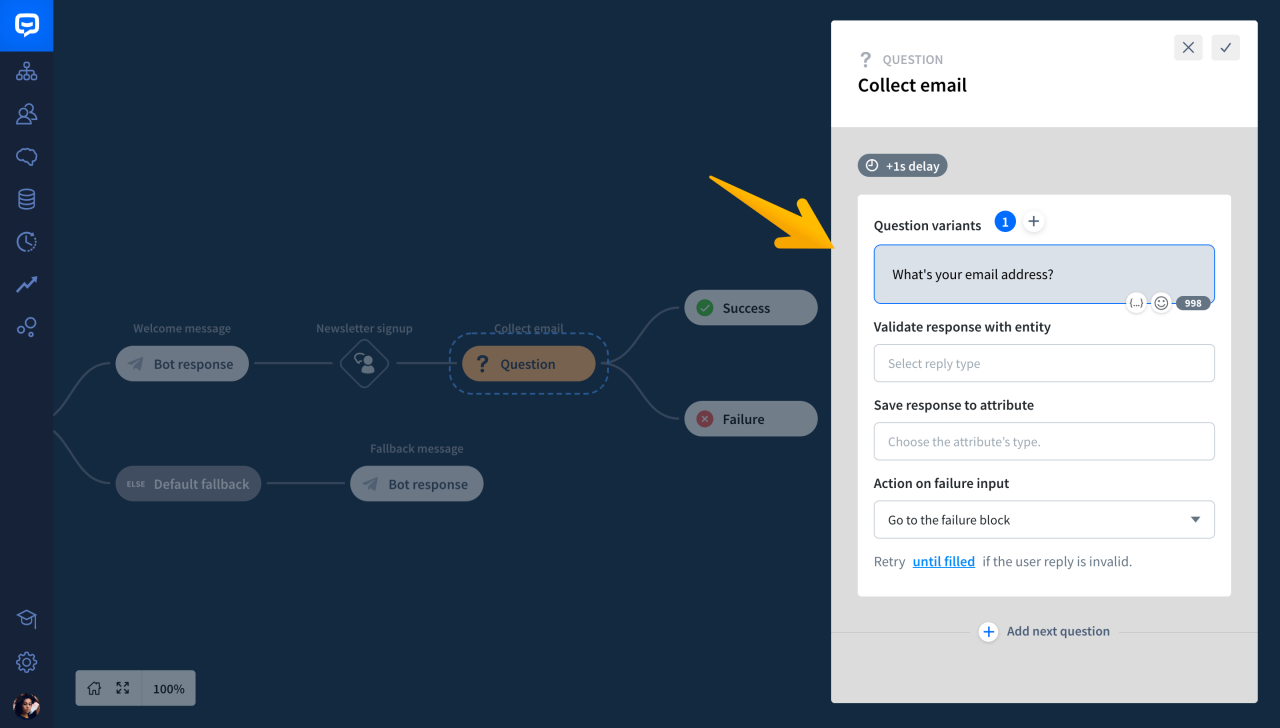
A well-structured conversational flow is crucial for a chatbot’s effectiveness. A clear and logical dialogue path ensures the chatbot can understand user intent and provide relevant responses, improving the user experience. This section will detail the process of designing this flow, including creating a conversation tree and providing clear examples.Designing a chatbot’s conversational flow involves mapping out the possible interactions between the user and the chatbot.
This involves anticipating various user inputs and crafting appropriate responses. A well-defined flow ensures a smooth and efficient conversation, ultimately leading to a positive user experience.
Basic Structure for Dialogue
A fundamental aspect of chatbot design is creating a clear structure for the dialogue. This structure provides a framework for the chatbot to navigate user queries and deliver appropriate responses. The chatbot should be designed to understand user intent and respond in a way that addresses the specific need.
Creating a Simple Conversation Tree
A conversation tree visually represents the possible paths a conversation can take. It Artikels different user inputs and the corresponding chatbot responses. This structure facilitates the creation of a flexible and adaptable conversational flow. By creating branches based on possible user inputs, the chatbot can be programmed to handle various scenarios.
Importance of Clear and Concise Responses
Clear and concise responses are essential for user understanding. Chatbots should avoid jargon or overly complex language. Using simple, direct language and avoiding ambiguity helps users easily grasp the chatbot’s message.
Examples of Common User Queries and Responses
| User Query | Chatbot Response |
|---|---|
| “What are the features of the new product?” | “The new product features include X, Y, and Z. For more detailed information, please visit our product page.” |
| “How much does the product cost?” | “The product costs $XXX. Shipping costs may vary depending on your location.” |
| “Where can I find a store near me?” | “Please provide your location. We will find nearby stores for you.” |
| “I have a question about the warranty.” | “Our warranty information is available on our website. Please visit the FAQ section.” |
Flowchart for Product Inquiry
This flowchart illustrates the conversational flow for a basic chatbot designed to handle product inquiries.
Start --> User asks about product --> Chatbot asks for product name -->
Chatbot searches for product details --> Chatbot displays product details -->
User asks additional questions --> Chatbot answers questions or redirects to FAQs -->
End
Implementing the Chatbot on Your Website
Integrating a chatbot seamlessly into your website is crucial for providing a smooth and engaging user experience. This process involves connecting the chatbot’s logic and interface to your website’s backend, ensuring a cohesive and user-friendly experience.
This section details the steps involved in achieving this integration.
Connecting the Chatbot to Your Website’s Backend
The backend connection establishes the communication channel between the chatbot and your website’s data and functionalities. This connection is essential for the chatbot to access information and perform actions within your website’s system. This often involves using APIs (Application Programming Interfaces) to exchange data between the chatbot platform and your website’s server. The specific implementation details vary depending on the chosen chatbot platform.
Deployment Methods
Several methods allow for chatbot deployment on a website. The most common is the embedded widget, a small, interactive interface that seamlessly integrates into your website’s design. This approach is user-friendly and requires minimal technical expertise to implement. Other deployment methods include using iframes or custom integrations, but embedded widgets remain the most prevalent and practical approach for most websites.
Best Practices for Seamless Integration
Adhering to best practices ensures a smooth user experience and reduces potential issues. Prioritize a clean and intuitive user interface (UI) for the chatbot. Maintain consistency with your website’s branding and design elements. Thorough testing across various browsers and devices is vital to guarantee functionality and accessibility. Providing clear and concise responses to user queries is critical for a positive user experience.
Ensure proper handling of error messages and provide fallback options for situations where the chatbot cannot directly address the user’s query.
Step-by-Step Procedure for Adding a Chatbot
This section Artikels a general procedure for adding a chatbot to a website, applicable to most chatbot platforms.
- Choose a Chatbot Platform: Select a chatbot platform that aligns with your website’s needs and technical capabilities. Consider factors like cost, features, and integration options.
- Set Up Your Chatbot Account: Create an account on the chosen platform and configure the necessary settings, including your website’s information.
- Integrate the Chatbot Widget: Obtain the chatbot widget code from your chosen platform and integrate it into your website’s code, typically within the HTML. This usually involves adding a script tag to the relevant HTML page.
- Test the Integration: Thoroughly test the chatbot on your website to ensure smooth functionality. Test various scenarios, including simple and complex queries, and verify that the chatbot interacts correctly with your website’s backend.
- Fine-tune the Conversational Flow: Review and refine the chatbot’s conversational flow to enhance user experience. This step might involve adding new responses, clarifying existing ones, or optimizing the chatbot’s understanding of user input.
- Monitor and Maintain: Regularly monitor the chatbot’s performance and user interactions. Address any issues and update the chatbot’s knowledge base to ensure accuracy and effectiveness.
Developing Simple Responses
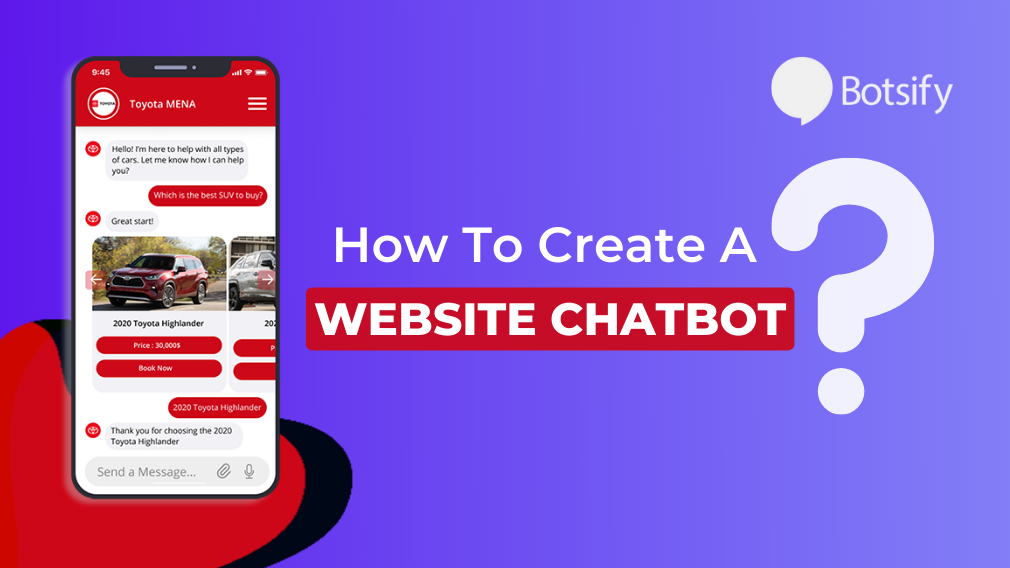
Crafting effective chatbot responses is crucial for a positive user experience. These responses should be clear, concise, and relevant to the user’s inquiry. The chatbot should aim to quickly and accurately address the user’s needs, fostering a seamless interaction. Well-designed responses build trust and encourage continued engagement.
Designing Basic Responses
A key aspect of chatbot development involves creating a library of pre-defined responses tailored to common user queries. These responses should be crafted with careful consideration of the user’s perspective and the specific context of the inquiry. Templates and examples can significantly aid in streamlining the process. Furthermore, employing natural language processing (NLP) techniques to analyze user input can further enhance the chatbot’s ability to provide appropriate and relevant responses.
Examples of Responses for Different User Queries
To illustrate the diverse range of responses, consider the following examples:
- User Query: “What are your business hours?”
Chatbot Response: “We are open from 9:00 AM to 5:00 PM, Monday through Friday.” - User Query: “How do I place an order?”
Chatbot Response: “To place an order, please click the ‘Order Now’ button on our website. Our website will guide you through the process.” - User Query: “What is the price of a large pizza?”
Chatbot Response: “The price of a large pizza is $15.99, excluding any applicable taxes.”
Importance of Using Appropriate Language and Tone
Maintaining a consistent and appropriate language style and tone is essential for maintaining a positive user experience. Formal language may be suitable for certain queries, while a more casual tone might be more suitable for other interactions. The chatbot should adapt its language to align with the brand’s voice and target audience. The goal is to create a user-friendly and engaging interaction.
Avoid overly technical jargon or overly complex sentence structures.
Techniques for Handling User Input and Providing Relevant Responses
Effective chatbot design hinges on the ability to recognize and interpret user input. Employing matching, natural language understanding (NLU), or other advanced techniques enables the chatbot to understand the intent behind the user’s query. This understanding is crucial for selecting the most appropriate response. A chatbot should be able to handle variations in phrasing and colloquialisms.
For example, if a user asks “Where’s your location?” the chatbot should be able to understand this is equivalent to asking “What is your address?”
Example Table: User Input vs. Chatbot Response
The table below demonstrates a simplified representation of how user input translates into chatbot responses. These examples represent a simplified case, but the core concept remains the same.
| User Input | Chatbot Response |
|---|---|
| “What is your phone number?” | “Our phone number is (123) 456-7890.” |
| “I want to order a cake.” | “Great! To place your cake order, please click the ‘Order Now’ button. Our website will guide you through the ordering process.” |
| “When is your store open?” | “Our store is open from 10:00 AM to 8:00 PM, daily.” |
Testing and Refining the Chatbot
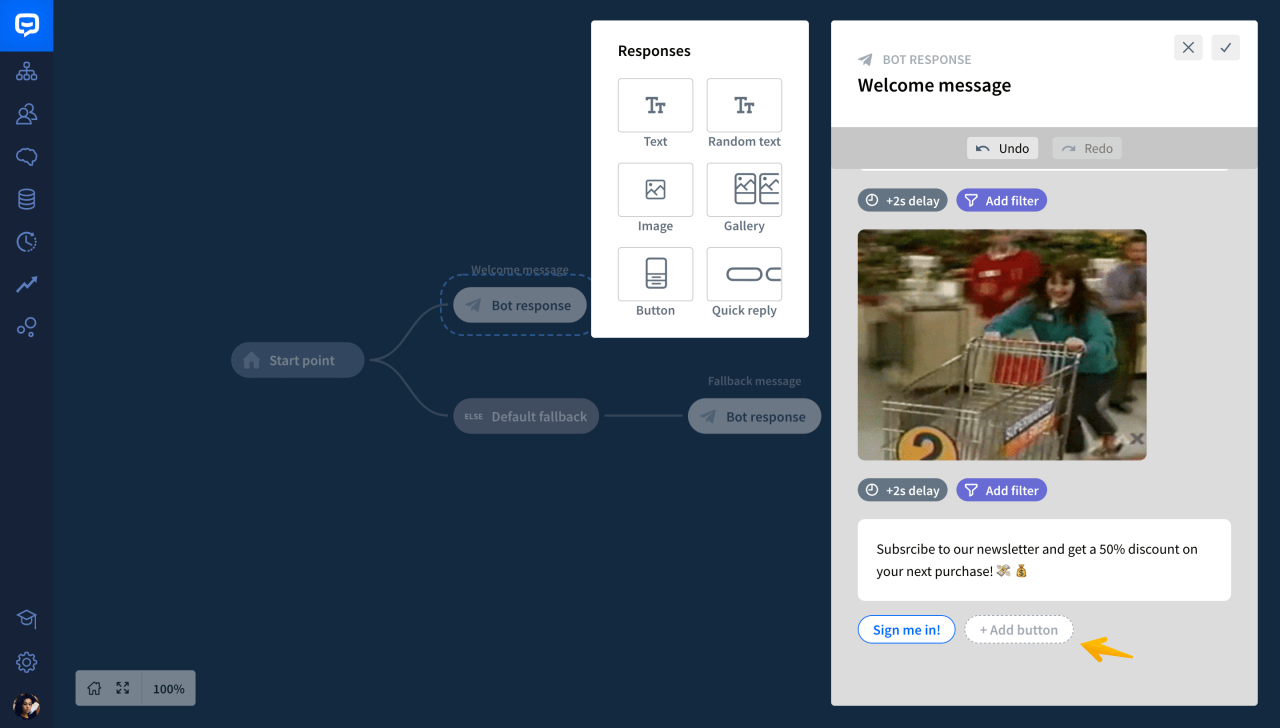
Thorough testing and refinement are crucial for a chatbot’s success. A well-tested chatbot ensures accurate responses, handles diverse user inputs effectively, and provides a positive user experience. This phase involves evaluating the chatbot’s functionality, identifying and resolving errors, gathering user feedback, and adapting the chatbot’s performance accordingly.
The chatbot’s performance hinges on rigorous testing. Identifying issues early in the development process minimizes the need for extensive revisions later. This approach also improves the chatbot’s ability to understand and respond to a wider range of user queries and commands.
Methods for Testing Chatbot Functionality
Testing chatbot functionality involves a multi-faceted approach, encompassing both automated and manual methods. These methods ensure the chatbot accurately processes and responds to various user inputs. Comprehensive testing covers diverse user interactions, including common queries, complex requests, and edge cases.
- Automated testing involves using scripts and tools to simulate user interactions. These automated tests verify the chatbot’s adherence to predefined response patterns and handle various user inputs accurately.
- Manual testing involves human interaction with the chatbot to assess its response quality and overall functionality. This method allows for a more nuanced evaluation of the chatbot’s natural language understanding capabilities and the ability to provide satisfactory responses.
Troubleshooting and Identifying Errors
Troubleshooting and identifying errors in chatbot functionality are crucial to improving its performance. Systematic troubleshooting procedures allow for effective identification and resolution of errors. This approach ensures a smooth user experience.
- Detailed logs of chatbot interactions provide valuable insights into errors. Analyzing these logs helps identify patterns in incorrect responses and potential areas needing improvement.
- Employing debugging tools allows developers to step through the chatbot’s logic to pinpoint the source of errors. These tools provide a granular view of the chatbot’s decision-making process, allowing developers to isolate specific issues and implement targeted fixes.
- Thorough error handling is essential to prevent unexpected behavior. Robust error handling ensures that the chatbot gracefully manages errors, providing appropriate messages to the user without disrupting the interaction.
Gathering User Feedback and Improving Chatbot Performance
Collecting user feedback is essential for improving chatbot performance. User feedback helps refine the chatbot’s responses and ensure it aligns with user expectations.
- Collecting user feedback through surveys, feedback forms, and direct user interaction allows for a comprehensive understanding of user experience. This data informs adjustments to the chatbot’s conversational flow and response strategies.
- Analyzing user feedback helps identify areas for improvement. This process enables targeted adjustments to the chatbot’s responses, making it more effective and user-friendly.
Examples of Common Chatbot Issues and Their Solutions
Common chatbot issues include misinterpreting user input, providing irrelevant responses, or failing to handle complex requests. Understanding these issues and their solutions is vital for optimizing chatbot performance.
- Misinterpretation of User Input: The chatbot might not correctly understand the user’s intent. A solution involves improving the chatbot’s natural language processing capabilities by training it on a broader range of user inputs. This could involve expanding the dataset of examples used to train the model.
- Irrelevant Responses: The chatbot may provide responses that are not pertinent to the user’s query. A solution is to refine the conversational flow and ensure that the chatbot’s responses are directly related to the user’s input. This might involve restructuring the chatbot’s decision tree to align better with user expectations.
- Failure to Handle Complex Requests: The chatbot may struggle to process requests that are not straightforward. A solution is to break down complex requests into smaller, manageable parts. The chatbot should then address each component of the request to ensure a complete and accurate response.
Testing Checklist for Chatbot Functionality
A structured checklist facilitates comprehensive testing of chatbot functionality.
| Test Case | Expected Outcome | Actual Outcome | Status |
|---|---|---|---|
| Simple Query | Accurate and relevant response | [Result] | [Pass/Fail] |
| Complex Query | Appropriate breakdown and response to each part | [Result] | [Pass/Fail] |
| Incorrect Input | Appropriate error message or fallback response | [Result] | [Pass/Fail] |
| Edge Case | Handles the specific case correctly | [Result] | [Pass/Fail] |
Adding Advanced Features (Optional)

Enhancing a chatbot beyond basic interactions can significantly improve its value and user experience. This section explores ways to add more sophisticated functionalities, integrate external data, and incorporate advanced features like image recognition. These enhancements can transform a simple chatbot into a powerful tool capable of handling complex inquiries and providing richer, more tailored responses.
Adding advanced features allows a chatbot to handle more complex tasks and provide a more comprehensive user experience. This often involves integrating external data sources and APIs, enabling the chatbot to access real-time information and respond with greater accuracy and relevance. Furthermore, advanced features can improve the chatbot’s overall efficiency, reducing the workload on human agents and improving customer satisfaction.
Integrating External Data Sources or APIs
Integrating external data sources or APIs is crucial for providing up-to-date and accurate information. This integration allows the chatbot to access real-time data, which is essential for tasks like providing stock quotes, flight information, or weather reports. The process involves connecting the chatbot to the relevant API and structuring the data retrieval process for seamless integration within the chatbot’s conversational flow.
A chatbot interacting with a flight booking API, for example, can provide real-time flight status updates, search for available flights based on specific criteria, and allow users to book flights directly through the chatbot interface. This integration significantly enhances the chatbot’s capabilities and value proposition.
Implementing Image Recognition
Image recognition functionalities can be integrated to enhance a chatbot’s ability to understand and respond to visual information. This could involve using pre-trained models or custom training data to allow the chatbot to identify objects, people, or scenes in images. For example, a customer service chatbot could use image recognition to identify damaged products in a submitted image, then automatically provide the correct support or troubleshooting information.
Advanced Features for Customer Service
The following list Artikels some advanced features that a chatbot can offer in a customer service scenario:
- Real-time support: The chatbot can provide immediate assistance, addressing customer queries and concerns promptly. This is especially beneficial for issues that require immediate solutions.
- Personalized recommendations: Based on user data, the chatbot can offer personalized product recommendations or suggest solutions relevant to the customer’s specific needs. This enhances the customer experience and increases sales.
- Automated troubleshooting: The chatbot can guide users through troubleshooting steps for common issues, reducing the need for human intervention. This can involve presenting a series of questions and providing step-by-step instructions, based on the image or description provided by the customer.
- Order tracking: The chatbot can provide real-time order tracking information, allowing customers to easily monitor the status of their orders. This improves transparency and customer satisfaction.
- Interactive knowledge base: The chatbot can access a vast knowledge base, enabling it to provide comprehensive answers to customer inquiries and resolve issues efficiently.
- Scheduling appointments: The chatbot can help customers schedule appointments with relevant personnel. This streamlines the appointment process and frees up human agents to handle more complex issues.
Ultimate Conclusion
In conclusion, building a simple chatbot can significantly improve user engagement and interaction on your website. By following the steps Artikeld in this guide, you can successfully implement a chatbot that meets your specific needs. Remember that testing and refinement are crucial for optimizing the chatbot’s performance and ensuring a positive user experience. From basic responses to potentially adding more sophisticated functionalities, the comprehensive approach provided here empowers you to build a chatbot that enhances your website’s overall value proposition.