Unlock the power of artificial intelligence to transform static images into captivating animated sequences. This guide provides a comprehensive exploration of the techniques and tools required to animate still images with AI, from foundational principles to advanced applications. Discover the diverse possibilities available for bringing your visual ideas to life through the innovative power of AI.
We’ll delve into the various AI models, examining their strengths and weaknesses, and explore the optimal image preparation steps. Furthermore, we’ll introduce popular animation tools, comparing their functionalities and ease of use. Learning basic and advanced animation techniques, addressing potential challenges, and showcasing creative applications will complete our journey into this exciting new world of AI-powered animation.
Introduction to AI-Powered Image Animation

Image animation, a captivating technique for bringing still images to life, encompasses various forms, including 2D and 3D animation. 2D animation typically involves manipulating individual frames to create motion, while 3D animation utilizes sophisticated software and modeling techniques to produce realistic, dynamic visuals. The emergence of artificial intelligence (AI) has revolutionized this field, offering new possibilities and efficiencies in the animation process.AI is increasingly being used in animation pipelines to automate tasks, enhance artistic control, and generate novel animation styles.
This automation allows animators to focus on creative aspects rather than tedious manual labor. The power of AI in image animation lies in its ability to learn patterns and relationships from vast datasets of existing animations, enabling it to predict and generate new movements and transformations.
AI Models for Image Animation
Various AI models are employed in the animation of still images. Generative Adversarial Networks (GANs) and diffusion models are prominent examples. GANs consist of two neural networks, a generator and a discriminator, working in tandem to produce realistic images. Diffusion models, on the other hand, gradually introduce noise into an image and learn to reverse this process, generating new variations of the original image.
Comparison of AI Models
| Model Type | Advantages | Disadvantages |
|---|---|---|
| Generative Adversarial Networks (GANs) | GANs excel at producing highly realistic images and animations, often surpassing the quality of traditional animation techniques. They are capable of generating diverse variations of a given image or animation. | Training GANs can be computationally intensive and time-consuming, requiring substantial resources. The stability of the training process can be challenging, sometimes resulting in unstable or nonsensical outputs. Ensuring that the generated content aligns with desired artistic direction can also pose a challenge. |
| Diffusion Models | Diffusion models are known for their efficiency in generating high-quality images and animations. They are comparatively less computationally intensive than GANs, making them more accessible for smaller-scale projects. Their ability to generate novel variations of images is particularly strong. | The generated animations might sometimes lack the nuanced details and fine control that traditional animation techniques offer. The process of controlling the level of detail and artistic style in the generated output can be complex and require specialized expertise. |
Preparing Still Images for Animation
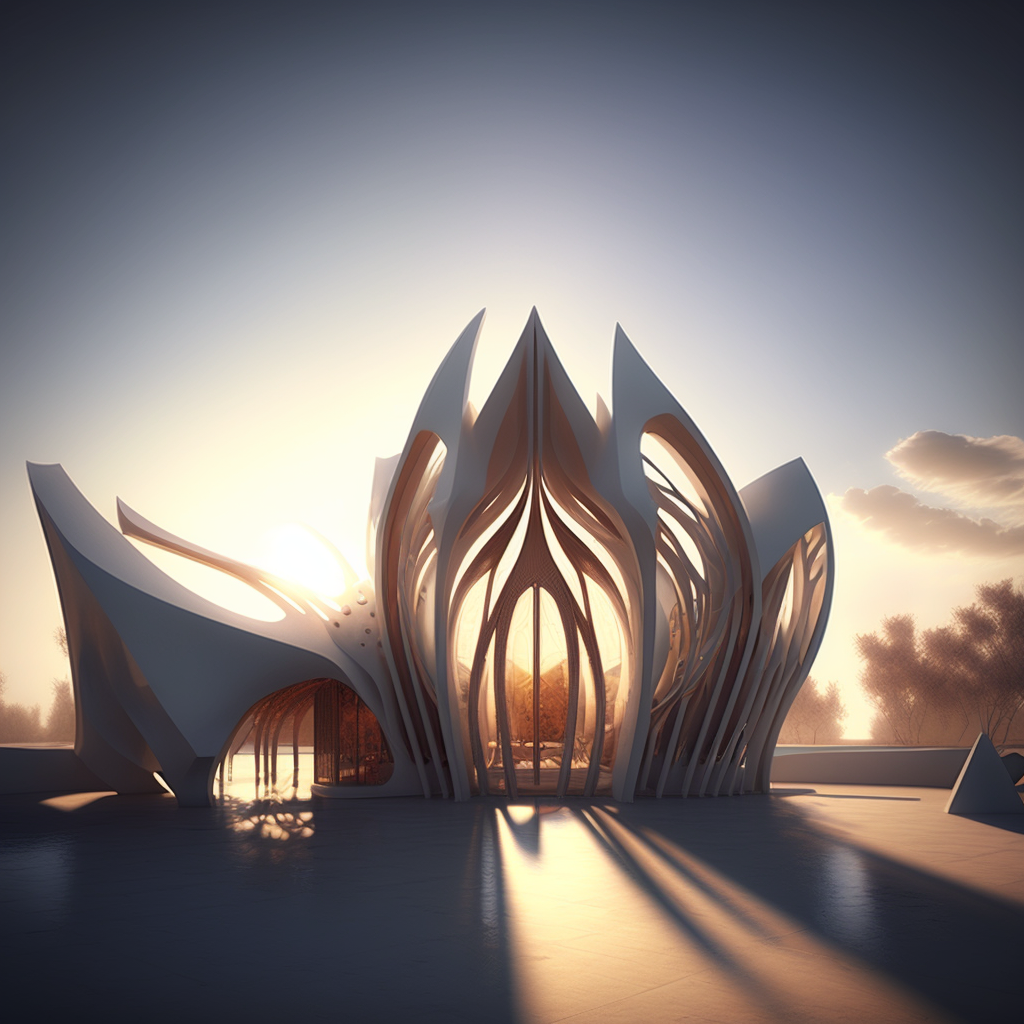
High-quality still images are crucial for successful AI-powered animation. Proper preparation ensures the AI models can effectively interpret the visual information and generate smooth, coherent animations. The choice of image format, resolution, and overall quality directly impacts the animation’s outcome.Careful consideration of these factors will lead to better results in the animation process. This section will detail the optimal image formats and resolutions for AI animation, highlighting the importance of image quality and resolution, and the need for high-quality image data to train robust AI animation models.
Optimal Image Formats and Resolutions
The choice of image format significantly impacts the animation’s quality and the efficiency of the AI process. Common formats like JPEG, PNG, and TIFF each have strengths and weaknesses. JPEGs, widely used for photographs, offer good compression, but they can lose some detail. PNGs, on the other hand, preserve image quality well and are often preferable for animations involving intricate details.
TIFFs, while preserving the highest quality, are less commonly used due to their larger file sizes. For AI animation, PNGs or TIFFs are generally preferred to ensure the best possible image quality.Resolution is equally important. Higher resolution images contain more detail, allowing for more nuanced and accurate animations. Lower resolution images might appear pixelated or blurry in the animation output.
The optimal resolution depends on the desired animation style and the complexity of the subject matter. A balance between image quality and file size should be considered to facilitate efficient processing.
Importance of Image Quality and Resolution
Image quality directly affects the quality of the animation output. Poor quality images can lead to artifacts, blurry edges, and a lack of detail in the animated sequence. This is especially true for complex animations requiring precise movements and detailed features. High-quality images are vital for training AI models that learn to interpret the subtle nuances and details present in the still images.High-resolution images are also essential for successful AI animation.
They provide the necessary detail for the AI to accurately capture and reproduce the intended movements and transitions. The more detail available to the AI, the better the animation will be. Therefore, investing in high-quality, high-resolution images is a key step towards achieving a compelling animated product.
Ideal Image Dimensions for Various Animation Styles
The optimal image dimensions for AI animation depend on the desired animation style. Different animation styles demand different levels of detail and complexity, leading to variations in the required image dimensions. The table below offers a comparison of ideal image dimensions for various animation styles.
| Animation Style | Ideal Dimensions (Width x Height) | Resolution |
|---|---|---|
| Simple Character Animation | 512 x 512 pixels | High |
| Complex Character Animation | 1024 x 1024 pixels | High |
| Background Animation | 1024 x 768 pixels | High |
| Detailed Object Animation | 2048 x 2048 pixels | Very High |
The table above provides a general guideline. Specific needs may vary based on the complexity of the animation.
Choosing the Right AI Animation Tool
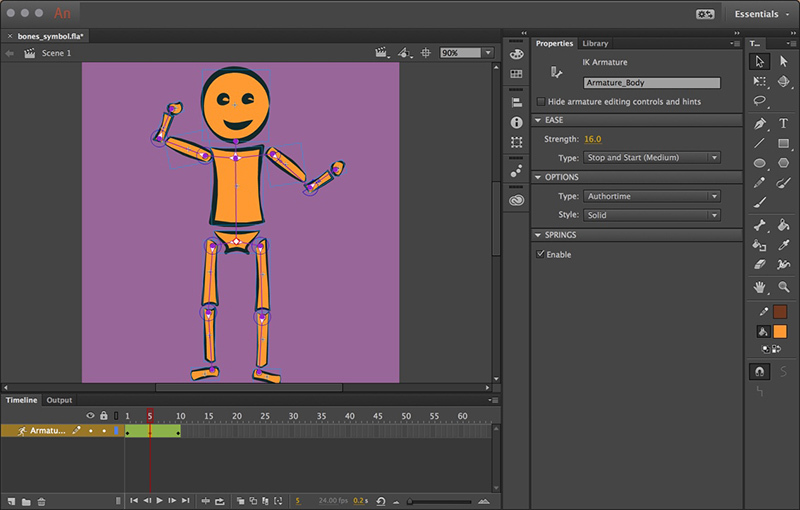
Selecting the optimal AI animation tool is crucial for achieving desired results. Different tools cater to various needs and skill levels, impacting the animation’s quality and efficiency. Understanding the features, capabilities, ease of use, and pricing of each tool is vital for informed decision-making.
Popular AI Tools for Image Animation
Several AI tools excel at animating still images. These tools leverage sophisticated algorithms to transform static visuals into dynamic sequences, allowing for diverse creative applications. Recognized leaders in the field include tools like RunwayML, D-ID, and others.
Features and Capabilities of Different Tools
Each AI animation tool boasts unique strengths and functionalities. RunwayML, for instance, provides a comprehensive suite of animation tools and integrates seamlessly with other creative applications. D-ID, another notable player, offers specialized features for specific animation styles. This diversity allows users to choose the tool best suited to their artistic vision and technical proficiency.
Ease of Use and Learning Curve
The ease of use and learning curve vary significantly between different tools. Some tools are designed with user-friendliness in mind, making them suitable for novices, while others might demand more technical expertise. A tool’s interface and available tutorials significantly influence the time needed to master its functionalities. A clear understanding of this aspect helps in choosing a tool that matches your current skill level and time constraints.
Comparison of AI Animation Tools
The following table provides a concise comparison of popular AI animation tools, highlighting their key features and pricing models.
| Tool Name | Key Features | Pricing |
|---|---|---|
| RunwayML | Comprehensive animation suite, integration with other creative tools, diverse animation styles, advanced control options. | Subscription-based, varying tiers based on features and usage. |
| D-ID | Specialized animation features for specific styles, strong focus on particular visual effects, easy-to-use interface. | Subscription-based, tiered pricing with access to more advanced features. |
| [Tool Name 3] | [Describe key features concisely, focusing on strengths and uniqueness.] | [Describe pricing model, including any free tiers or trials.] |
Basic Animation Techniques with AI
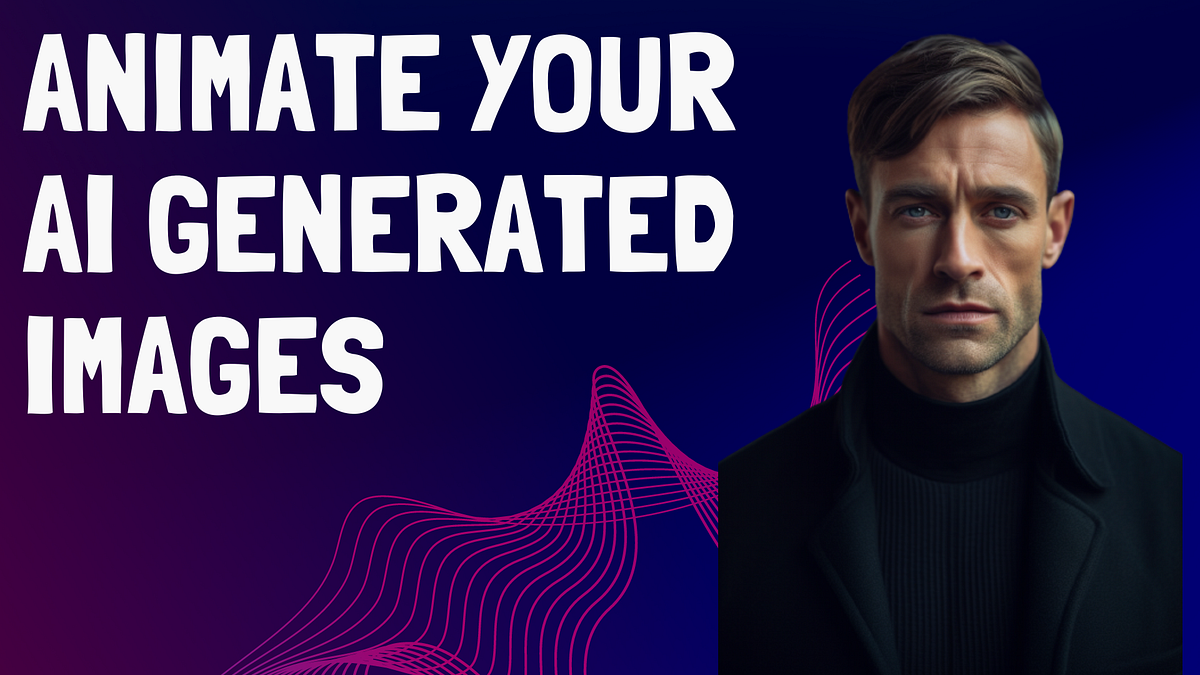
AI-powered animation tools are revolutionizing the way we create dynamic visuals from static images. These tools leverage sophisticated algorithms to interpret and manipulate still images, producing fluid and engaging animations. Understanding the fundamental principles of animation and how AI applies them is crucial for effective use of these tools.AI animation tools can interpret subtle nuances in still images, enabling them to create animations that feel natural and realistic.
By understanding the underlying principles, users can guide the AI to produce animations that match their creative vision.
Fundamental Animation Principles
Animation relies on established principles to create believable and engaging movement. These principles, often used in traditional animation, also translate effectively to AI-powered techniques. Mastering these principles allows users to create more compelling animations with AI tools.
- Anticipation: This principle involves preparing the viewer for an action. A character about to jump would, for instance, slightly bend their knees or lean back. AI animation tools can interpret these subtle cues in still images to create a sense of anticipation.
- Staging: Clear and concise presentation of the action is essential. The key elements of the scene should be easily visible, and the characters’ actions should be clear. AI animation tools can help ensure that the essential elements of the scene are well-defined for a smoother transition.
- Straight Ahead Action & Pose-to-Pose: Straight-ahead action involves creating each frame sequentially, while pose-to-pose involves establishing key poses and then filling in the in-betweens. AI animation can be used with both techniques. It can analyze the key poses and generate the intermediate frames.
- Follow Through and Overlapping Action: This principle focuses on the momentum of an action. When a character moves, parts of their body might continue moving for a brief moment after the main body stops. AI animation can often detect and simulate these details.
- Slow In and Slow Out: Adding smoothness to the action by slowing down at the beginning and end of a movement. AI tools can be used to create a smooth acceleration and deceleration, giving the animation a more natural flow.
AI Animation Techniques
AI-powered animation tools offer diverse techniques for bringing still images to life. Understanding these techniques is essential for effectively utilizing these tools.
- Frame-by-Frame Animation: This traditional technique involves creating each frame individually. AI tools can assist in this process by automatically generating frames based on the initial image and user-provided inputs. The tool can analyze the image and create intermediate frames, making the process less laborious.
- Morphing: Morphing involves transitioning between two or more images. AI animation tools can be used to smoothly morph between still images, creating transitions that appear natural and continuous. This can be useful for animating character transformations, object changes, or any other transitions between different states.
- Tweening: Tweening, short for in-betweening, involves creating intermediate frames between key poses. AI animation tools can analyze the key poses and automatically generate the intermediate frames to smooth out the transitions. This automated approach is a significant time-saver for animators.
- Motion Capture: This technique captures real-world movements and applies them to animated characters or objects. AI tools can enhance the accuracy and precision of motion capture, making it easier to animate realistic movements.
Steps for Applying AI Animation Techniques
- Image Preparation: Ensure the still image is high-quality and properly prepared for animation.
- Choose the appropriate tool: Select an AI animation tool that best suits the animation style and complexity.
- Define Key Poses: Specify the initial and final poses for the animation, or the keyframes that define the desired motion.
- Specify the Animation Style: Indicate the desired animation style, e.g., cartoon, realistic, abstract.
- Fine-tune the Animation: Refine the generated animation by adjusting parameters like speed, smoothness, and timing.
- Export and Render: Export the final animation in a suitable format for playback.
Examples of AI-Animated Still Images
- Cartoon Animation: An image of a cartoon character can be animated to perform actions like jumping, running, or waving. The AI can create a dynamic and expressive animation that accurately portrays the intended movement.
- Realistic Animation: A photograph of a person can be animated to walk or gesture. The AI can replicate the natural movements, creating a realistic animation. The tool can mimic the subtle nuances of human movement, making the animation feel authentic.
- Abstract Animation: An abstract image can be animated to create a fluid and dynamic abstract motion, changing colors, shapes, and textures.
Advanced Techniques for AI Image Animation
AI-powered image animation is rapidly evolving, offering a wide array of advanced techniques beyond simple movement. This section delves into more sophisticated methods, enabling animators to create intricate character animations, compelling narratives, and complex motion sequences. By understanding these advanced techniques, users can leverage the full potential of AI for visual storytelling and artistic expression.Advanced animation methods require a deeper understanding of the underlying principles and tools.
From creating believable character movements to crafting immersive narratives, advanced techniques enable the creation of dynamic and engaging animations. This section explores specific tools and techniques that empower users to achieve these complex effects.
Character Animation
Character animation is a crucial aspect of visual storytelling. It requires the AI to understand not just the movement of limbs but also the nuances of body language and emotional expression. This often involves meticulously defining key poses, transitions, and timing. Tools specializing in character animation can generate more complex character poses, facial expressions, and movements. Such tools can utilize sophisticated algorithms to analyze existing character designs and animations to generate more lifelike movements.
By leveraging AI, animators can focus on refining the emotional content of the animation rather than the technical aspects of movement.
Storytelling Through Animation
Creating compelling stories through animation involves more than just movement. AI tools can aid in generating sequences of images that progress a narrative. These tools can help connect images to create a coherent story. Tools often include features for adding background elements, props, and environmental interactions to enhance the narrative. By utilizing these capabilities, users can create more engaging and immersive narratives.
The integration of AI into the storytelling process is an innovative approach that has the potential to revolutionize animation production.
Complex Motion
Animating complex motions, such as acrobatic feats or intricate dance sequences, requires sophisticated algorithms that understand physics and human anatomy. AI-powered tools can analyze these movements and translate them into smooth and believable animations. These tools can handle intricate sequences involving multiple characters and objects, which can be very challenging for traditional animation techniques. Complex motions often benefit from the ability to create and manipulate multiple animation layers.
Advanced animation techniques can also create more dynamic and realistic movements.
Motion Blur and Lighting Effects
Motion blur is crucial for creating a sense of speed and dynamism in animation. AI-powered tools can intelligently incorporate motion blur based on the speed and direction of movement. These tools typically use algorithms that analyze the movement of objects and adjust the blur accordingly. Advanced lighting effects can significantly enhance the visual appeal of the animation.
These effects can range from simple ambient lighting to complex, dynamic lighting that reacts to the scene’s movement and changes in the environment. Users can control the intensity and type of light sources, as well as the shadows cast. By incorporating these advanced techniques, users can create animations that look highly realistic. The combination of motion blur and lighting effects significantly elevates the quality of the animation, enhancing its realism and visual impact.
User Input and Customization
User input is essential in controlling the animation process. Many advanced AI animation tools allow users to refine the output generated by the AI. This often involves adjusting parameters, specifying keyframes, and manually manipulating elements of the animation. This level of control enables animators to tailor the animation to their specific needs and preferences. Through user input, users can fine-tune the details and enhance the realism of the animation.
Customizing the animation process through user input allows animators to create unique and compelling animation results.
Common Challenges and Troubleshooting
Navigating the intricacies of AI image animation can present various hurdles. Understanding potential issues and their solutions is crucial for achieving satisfactory results. This section details common problems and provides effective troubleshooting strategies.
Potential Issues During the Animation Process
AI image animation, while powerful, is not without its challenges. Factors like the quality of input images, the chosen AI model, and user input parameters can influence the final output. Recognizing these potential problems is the first step toward successful animation.
Common Errors and How to Overcome Them
Several errors can occur during the animation process. For example, input images with low resolution or poor quality may result in a less-than-desirable animation. Similarly, an inappropriate choice of AI animation tool can lead to unexpected outcomes. Incorrect parameters or settings within the AI tool can also affect the final result. Understanding the characteristics of the input image and the capabilities of the chosen tool is paramount to successful animation.
Solutions for Common Problems in AI Image Animation
Troubleshooting animation issues often involves iterative adjustments. To address low-resolution images, consider using high-resolution versions or employing image upscaling techniques before inputting the images into the AI animation tool. Selecting an appropriate AI animation tool that aligns with the desired animation style and complexity is crucial. Adjusting parameters, such as the animation speed or the number of frames, can lead to improved results.
Image Quality Issues in AI Animation
Image quality is a critical aspect of AI image animation. Issues such as blurry or pixelated results can stem from the input images’ quality. Using high-resolution images, and employing image enhancement techniques prior to animation, can mitigate this problem. Another potential issue is the output quality of the AI animation tool. Ensuring the chosen tool is capable of handling the desired complexity of animation is important.
Consider reviewing the output of the animation tool at each stage to identify and correct any problems.
The Need for Iterations and Adjustments in the Animation Process
AI animation, like many creative processes, often requires iterations and adjustments. The process of fine-tuning the animation involves evaluating the results and modifying parameters to achieve the desired effect. This iterative approach allows for a more refined and satisfactory final product. A key aspect is to test various AI tools and settings to discover the best approach for the specific project.
Creative Applications of AI Image Animation
AI image animation presents a compelling array of creative opportunities across diverse fields. This technology allows for the seamless integration of dynamic visuals into existing artistic and design workflows, opening up possibilities for unique and engaging experiences. The potential to create highly personalized and compelling visual narratives is immense.
Artistic Applications
AI image animation offers artists a novel medium for experimentation and expression. Artists can leverage AI tools to explore intricate and nuanced visual narratives, potentially exceeding the boundaries of traditional methods. The flexibility of AI animation allows for rapid iteration and exploration of various visual styles, which can enhance the artistic process. For example, a painter could use AI to animate their still life paintings, bringing the objects to life with subtle movements and expressions.
Design Applications
AI-powered animation is a powerful tool for designers in numerous fields. From product design to fashion, the ability to visualize dynamic scenarios is invaluable. Imagine showcasing a clothing line by animating models interacting with the garments in realistic movements, or creating interactive 3D models of products that demonstrate their functionality. This enables more compelling presentations and a more immersive user experience.
For instance, interior designers could utilize AI to animate furniture arrangements within a room, demonstrating how the space would look and feel to the user.
Entertainment Applications
AI image animation holds immense potential in the entertainment industry. Animated characters can be brought to life with realistic movements and expressions, enhancing the visual appeal of movies, commercials, and other forms of media. This technology can revolutionize the way stories are told, creating more dynamic and engaging narratives. For example, imagine a historical documentary where key figures are animated based on historical records and artistic interpretations, making the historical period come alive for viewers.
Furthermore, AI could be used to generate animated sequences for video games, creating a more immersive and interactive gaming experience.
Educational Applications
AI image animation can enhance educational experiences, creating engaging and memorable learning materials. Complex scientific concepts can be visualized with animated representations, aiding understanding and retention. Animated diagrams and simulations can be used to demonstrate processes and mechanisms in a dynamic way. For instance, teaching molecular biology through animated representations of molecules interacting, or demonstrating the workings of a machine with animated components.
Innovative Examples
AI image animation is being used in a variety of innovative ways across different fields. For example, the animation of historical documents, such as handwritten letters or blueprints, can bring the past to life, making the period and its events more engaging and tangible for the audience. In the field of medicine, AI-animated medical diagrams and procedures can provide clearer visual demonstrations for students and professionals.
Furthermore, AI image animation is being used to create unique and creative promotional materials for products or services.
Integration into Existing Workflows
Integrating AI image animation into existing workflows is relatively straightforward. Many tools offer user-friendly interfaces and can be easily incorporated into current design and production pipelines. This integration can improve efficiency and productivity, enabling creators to explore a wider range of creative possibilities. By automating certain tasks, AI animation tools can free up designers to focus on higher-level creative endeavors.
Last Recap
In conclusion, animating still images with AI opens up a world of creative possibilities. By understanding the fundamentals, choosing the right tools, and mastering the techniques, you can transform static visuals into dynamic narratives. This guide has equipped you with the knowledge and resources to embark on your own AI animation journey, pushing the boundaries of visual storytelling.
We hope this exploration has been insightful and inspiring.